Create a Seating Chart: 5 Minutes to a Finished Plan
New class, new semester, or simply too much chatter: time for a new seating chart. Doing it by hand easily eats an hour of shuffling names around — and you still miss a rule somewhere. Here's what actually matters in a seating chart and how to create one in minutes.
What makes a good seating chart
A seating chart is more than names in boxes. A good plan accounts for:
- Disruptive students sit apart from each other — ideally at the edges or up front where you can see them.
- Students who need support or struggle to focus sit near the board.
- Conflicts between specific students are defused by distance.
- Seating wishes are honored where they don't hurt — which massively boosts acceptance.
The catch: the more rules, the harder the puzzle. With 28 students and ten rules, finding an optimal chart by hand is nearly impossible.
The classic methods — and their weak spots
Pen and paper is flexible, but every change means erasing, and the rules live only in your head. Excel or Google Docs templates look tidy but don't check a single rule — you're dragging cells instead of paper snippets. Online seating chart generators mostly shuffle at random, and typing student names into a web form is a privacy problem waiting to happen.
Creating a seating chart with Platzwahl — step by step
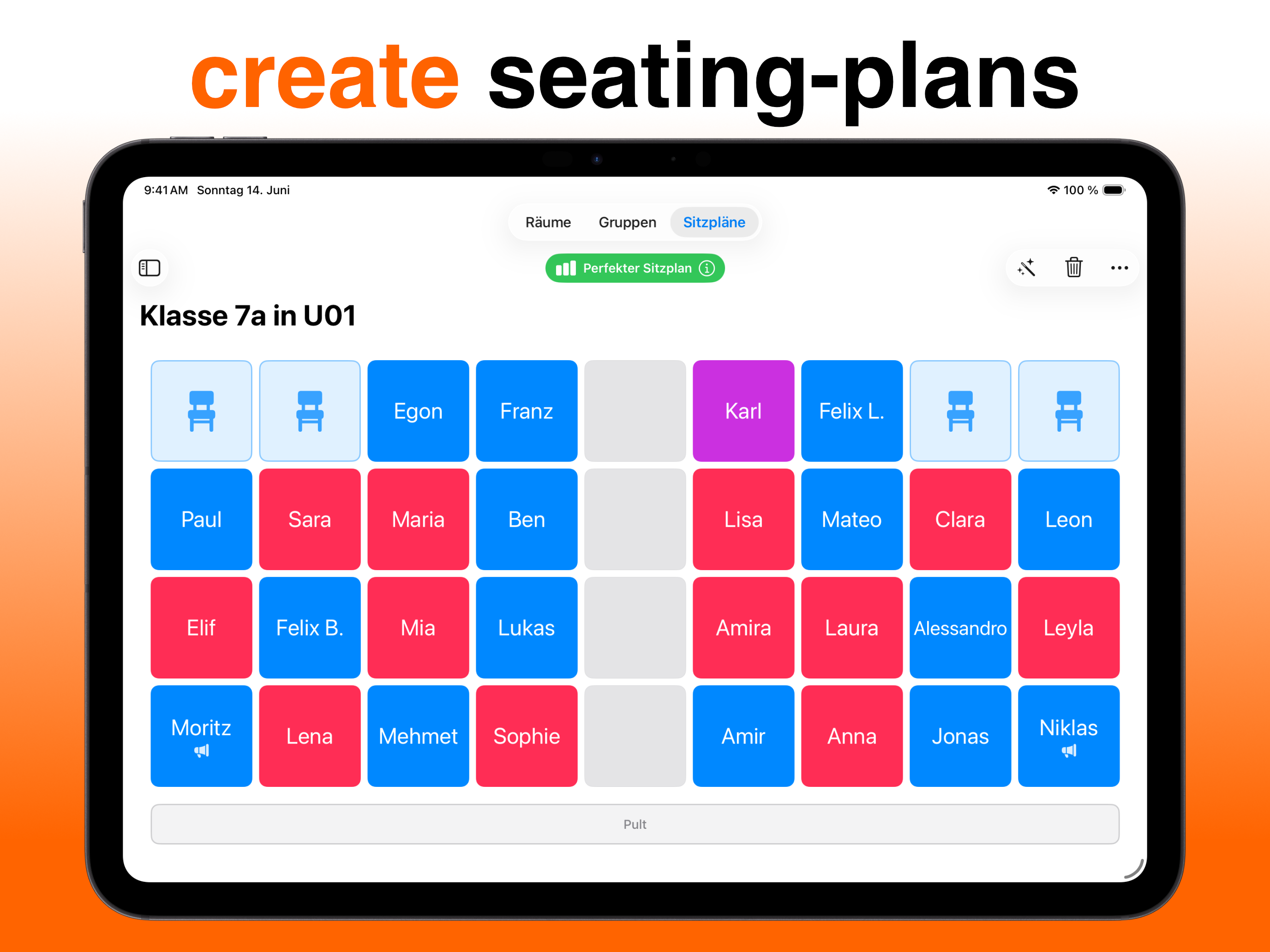
Platzwahl is a free iOS app that solves exactly this puzzle automatically — using a genetic algorithm that weighs all your rules at once:
- Rebuild your room Draw your classroom as a grid — tap individual seats or paint whole areas with your finger. Gaps, table groups, single desks: anything goes.
- Add your class Enter students one by one or import the whole class as a CSV file from Excel.
- Set the rules Mark each student's disruption level, front-row needs, preferred neighbors, or pairs that must be separated.
- Tap "Optimize" The app computes the best possible chart and shows a score of how well every rule is met — including an explanation for each deviation.
- Print it Export the finished chart as a PDF — print it, put it on your desk, done.
All student data stays on your device — nothing is ever sent to a server.

Get Platzwahl for free
Free download · iPhone & iPad · iOS 17+ · No account needed
 Discover Platzwahl →
Frequently asked questions
Can I create a seating chart for free?
Yes. Platzwahl is free on the App Store. Building rooms, adding your class, computing charts automatically, and printing all work without paying — Platzwahl Pro unlocks unlimited rooms, groups, and charts.
Can the chart respect seating wishes?
Yes. You can set preferred neighbors per student. The algorithm fulfills as many wishes as possible without breaking more important rules — like keeping disruptive students apart.
How long does creating a seating chart take?
Room and class are set up once in a few minutes — even faster with CSV import. After that, every new chart is a single tap; the computation itself runs in seconds.